đŖ Tamagotchi Pet Simulator â Java GUI Edition
A fun and interactive Tamagotchi-style virtual pet game built using Java Swing. Feed, play, rest, or ignore your digital pet â but beware! If you neglect it, it might not survive.
đ¯ Project Goal
Simulate a virtual pet's lifecycle and mood using basic object-oriented programming concepts and a clean graphical user interface (GUI).
đ§ Concepts Used
| Java Concept |
Usage |
| OOP (Classes, Objects) | Pet class with encapsulated data and behavior |
| Inner Classes | Pet is an inner class within TamagotchiGUI |
| Swing GUI (JFrame, JButton, JLabel) | Used for building a functional GUI |
| Layout Managers (BorderLayout, GridLayout) | For organizing GUI components |
| Event Handling | ActionListener to respond to button clicks |
| User Input | JOptionPane for naming the pet |
| Conditional Logic | To handle game rules, death conditions, and actions |
| Method Abstraction | All pet actions are modularized into methods (feed(), rest(), etc.) |
đšī¸ How to Play
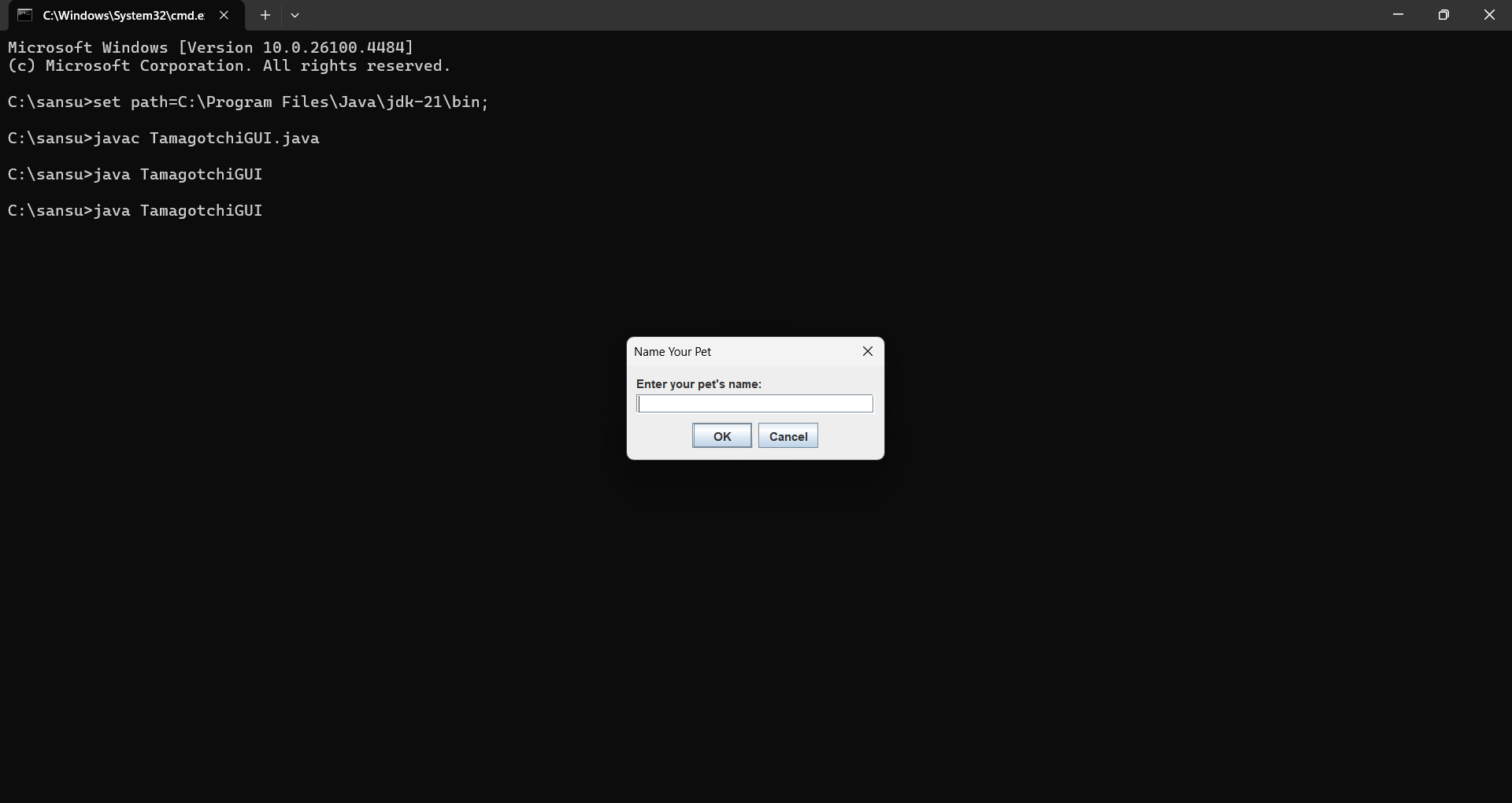
- Run the Program
Make sure you have Java installed. Compile and run:
javac TamagotchiGUI.java
java TamagotchiGUI
- Name Your Pet
A dialog will prompt you to give your pet a name.
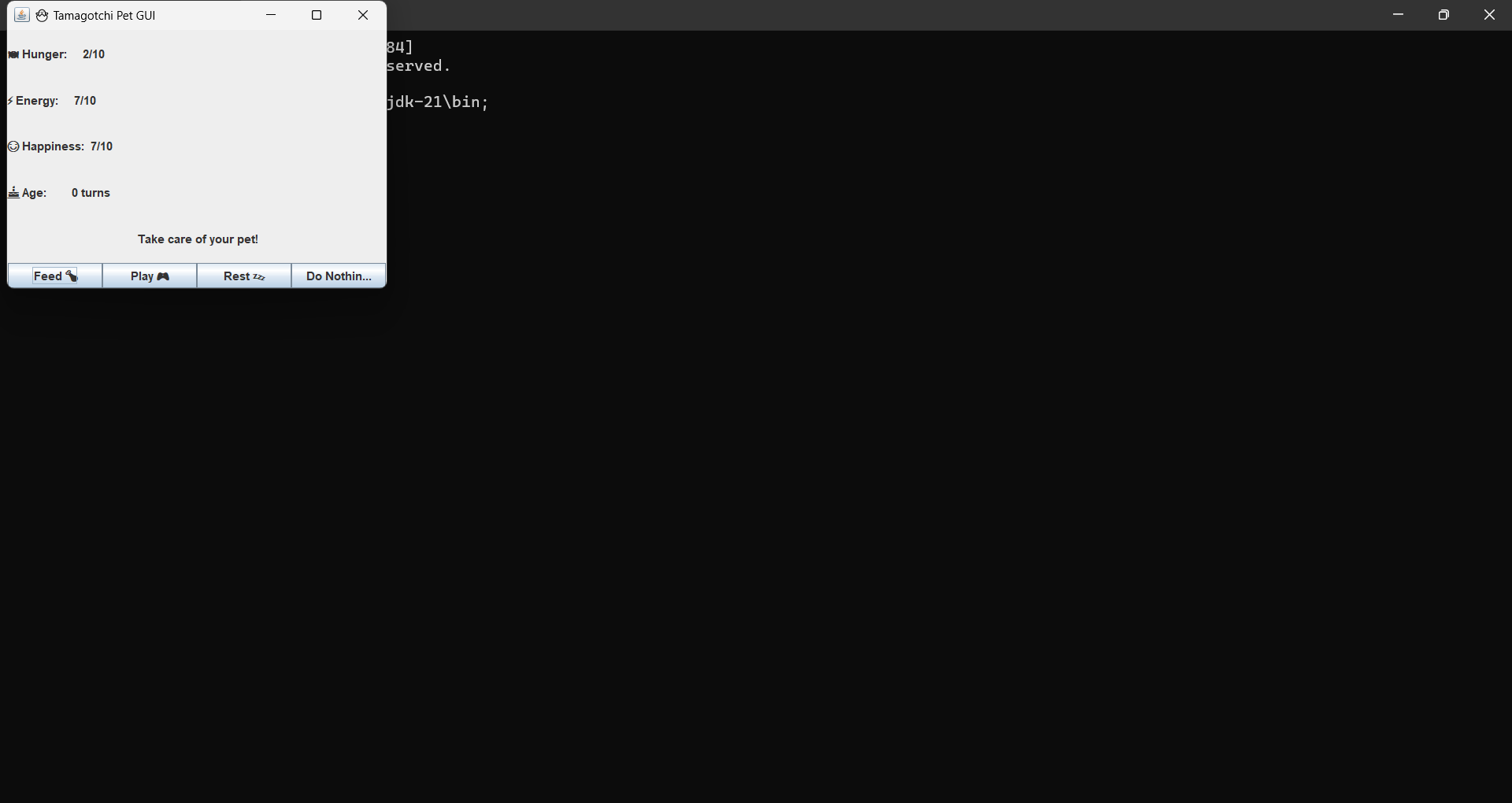
- Interact
Use the buttons to feed, play with, or rest your pet.
- Monitor Its Stats
- Hunger (0 = full, 10 = starving)
- Energy
- Happiness
- Age (in turns)
- Game Over
If hunger reaches 10, happiness reaches 0, or energy drops to 0 â the pet dies.
đ§Š Game Logic Summary
- Feed: Decreases hunger
- Play: Increases happiness, decreases energy
- Rest: Increases energy
- Skip: Time passes, pet stats decay
After every action (even skipping), the pet ages and stats decay:
- Hunger increases
- Happiness and energy decrease
The game ends if:
- hunger âĨ 10
- happiness ⤠0
- energy ⤠0
đŧī¸ Screenshot
⨠Highlights
- Lightweight but polished GUI using pure Java (no external libraries)
- Perfect beginner project to learn GUI, OOP, and logic structuring
- Fun, nostalgic, and educational!
đ File Info
TamagotchiGUI.java: Entire code including GUI and logic
screenshot.png: Optional GUI preview
đ What I Learned
- Building interactive GUI apps in Java using Swing
- Writing clean object-oriented code
- Designing event-driven logic
- Managing state and conditions in games
đ ī¸ Future Ideas
- Add saving/loading pet state
- Add sound effects or animations
- Introduce multiple pets or evolving stages
đŠâđģ Author
Sanskriti â Java enthusiast & beginner developer learning through building â¨